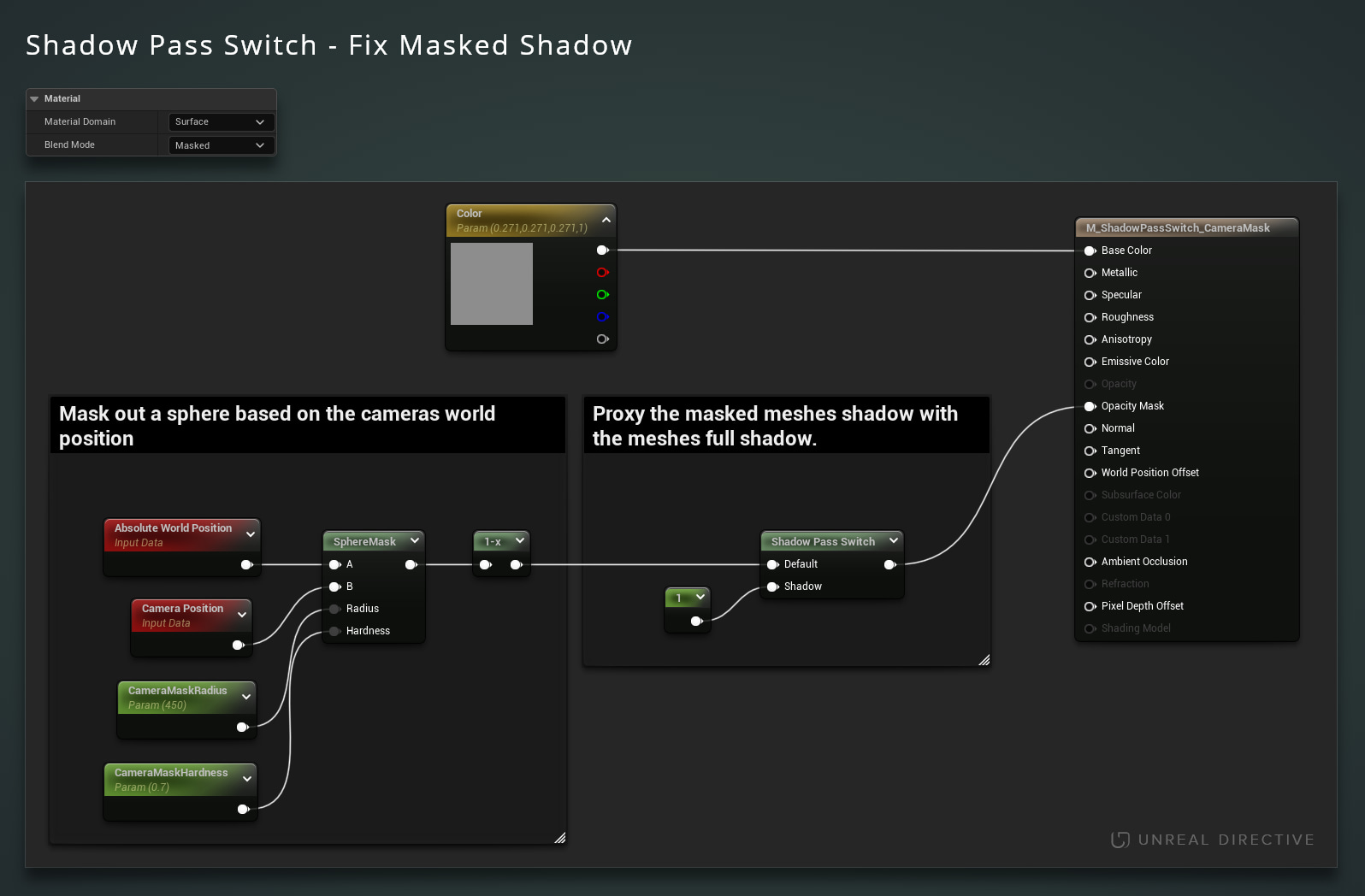
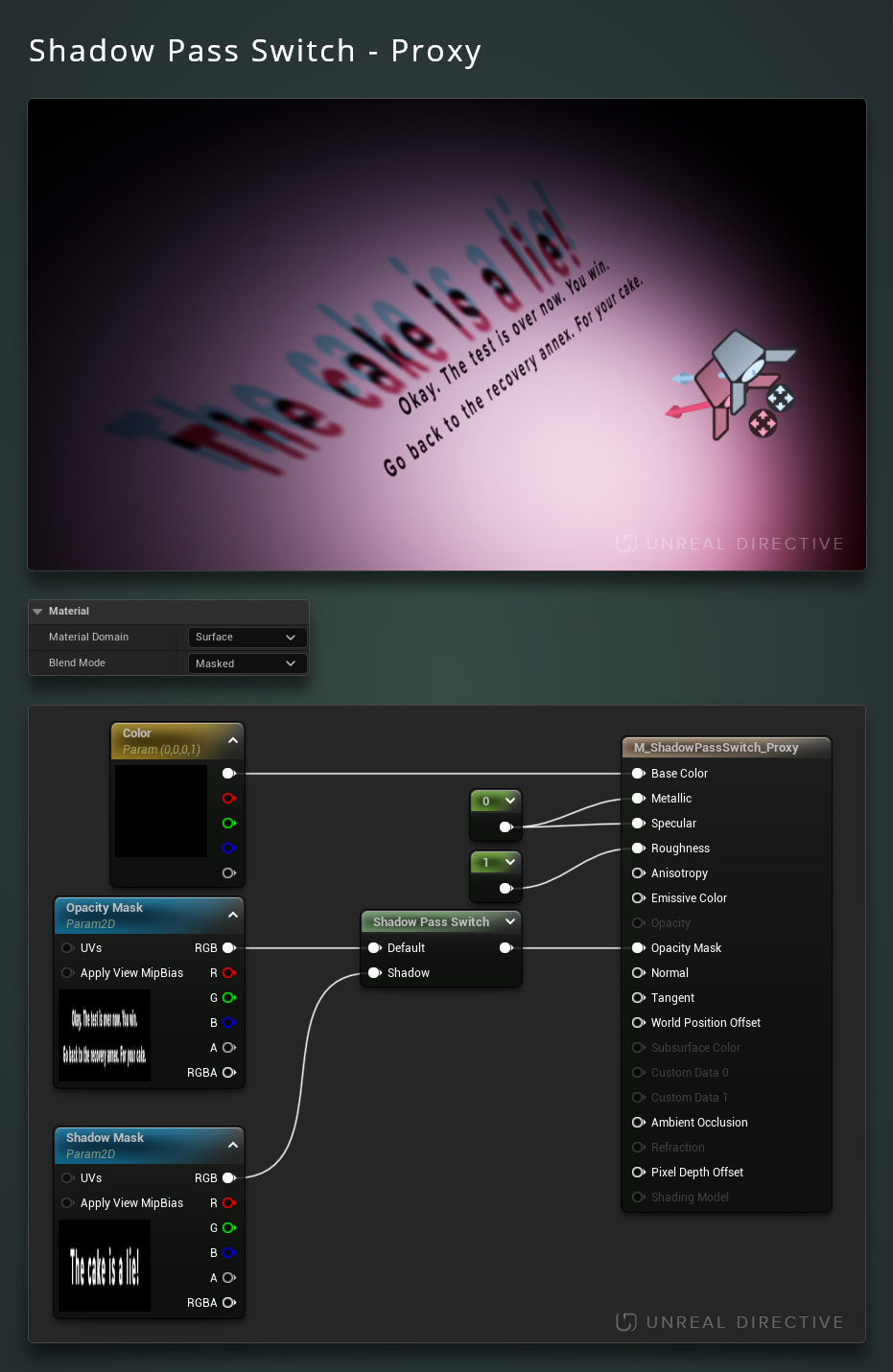
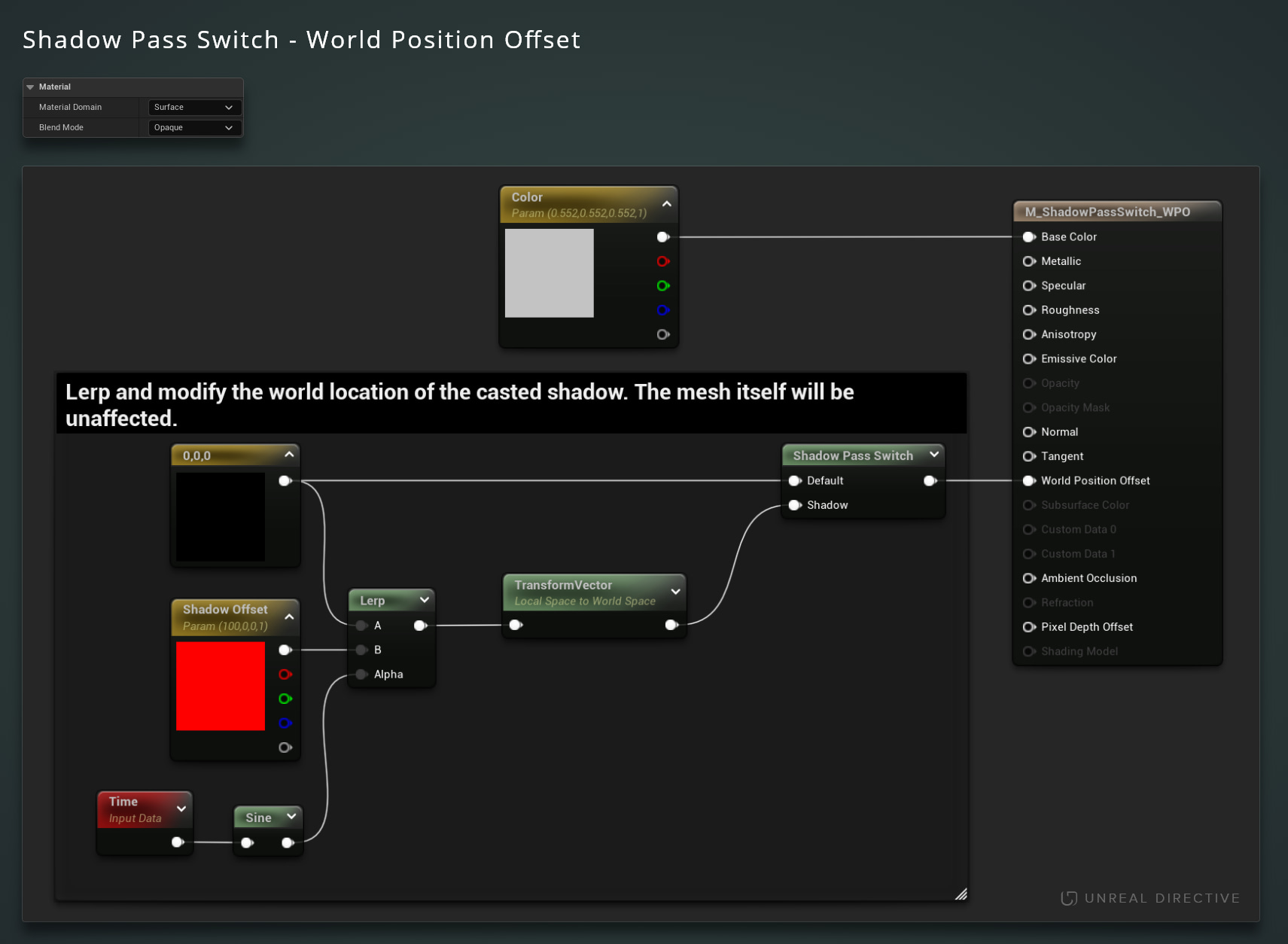
Shadow Pass Switch
Utilize the Shadow Pass Switch material function to substitute the materials casted shadow with a proxy.
TezenariUpdated 2 years ago|
Materials
Lighting
Rendering
06/More Tips
Regulate Emissive ExposureUtilize the EyeAdaption node to keep emissive materials consistency across difference exposure levels.
Materials
Lighting
+1
The Preview Mesh
Viewport
Shortcuts
+2
Custom Primitive DataLearn how you can use Custom Primitive Data to easily modify Scalar and Vector material parameters without needing Dynamic Material Instances.
Materials
Static Meshes
+2
Post Process PixelizationLearn how to quickly create a Pixel Shader effect for your Unreal Engine project.
Shaders
Materials
+1
Camera Based MaskingUtilize the cameras world position as a mask for your materials.
Materials
The Vertex Interpolator Node
Materials
Optimization