

Stat Unit
Utilize the stat unit and stat unitgraph console commands to display helpful performance metrics within the viewport.
TezenariUpdated 4 years ago|
Profiling
Console Commands
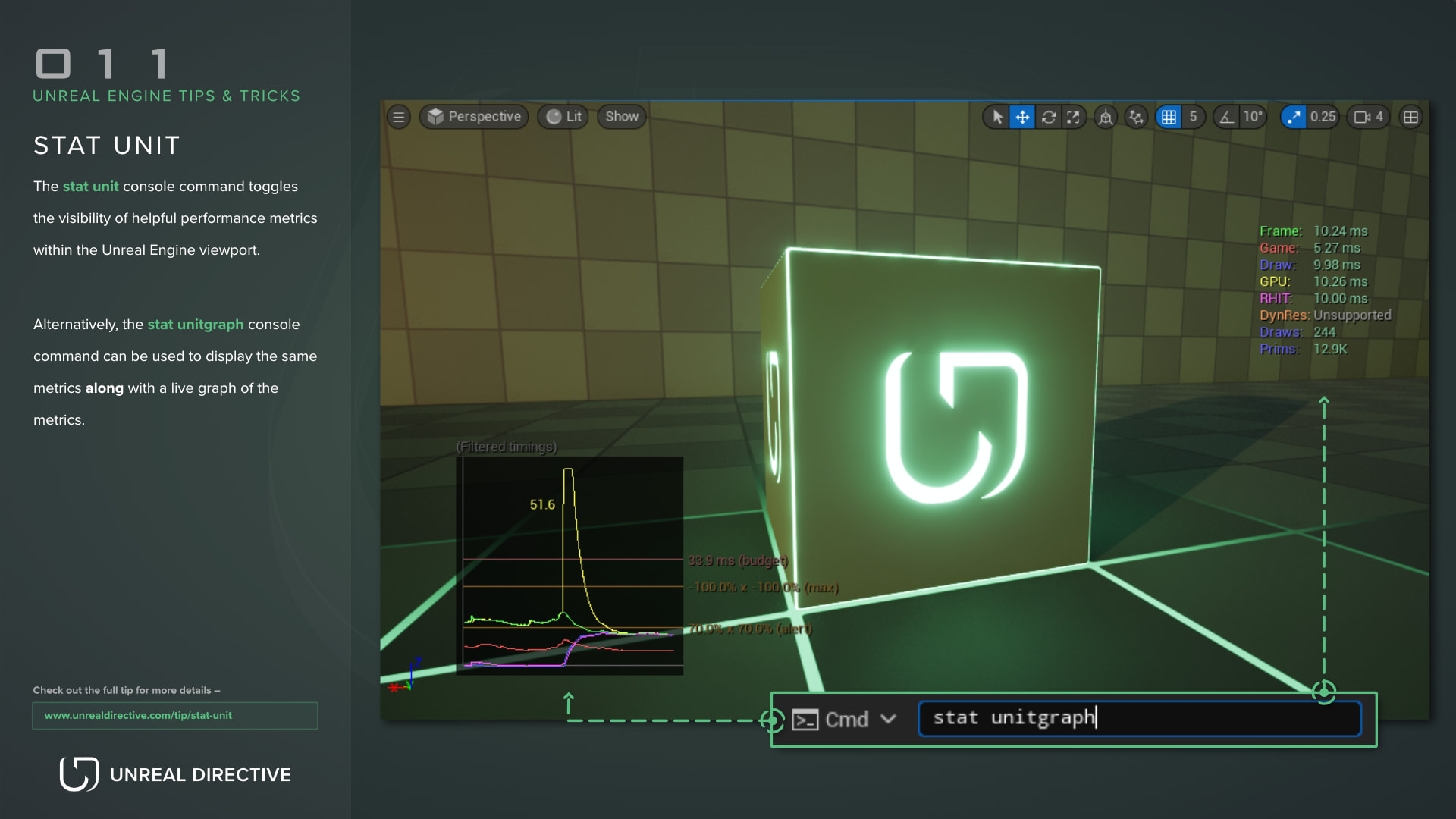
Utilize the stat unit and stat unitgraph console commands to display helpful performance metrics within the viewport.
The stat unit console command toggles the visibility of helpful performance metrics within the Unreal Engine viewport. Alternatively, the stat unitgraph console command can be used to display the same metrics along with a live graph of the metrics.
| Metric | Description |
|---|---|
| Frame | The total amount of time spent generating one frame of the game. |
| Game | Time spent on the game thread. If the value is close to the Frame Time, then the game’s performance is most likely bottlenecked by the Game Thread. |
| Draw | Time spent on the rendering thread. If the value is close to the Frame Time, then the game’s performance is most likely bottlenecked by the Rendering Thread. |
| GPU | Time spent on the GPU rendering the scene. GPU time is synced to Frame Time, so they are likely to be similar. |
| RHIT | Time spent on the Rendering Hardware Interface Thread (e.g. OpenGL, D3D12). Likely similar to the frame time. |
| DynRes | If supported, displays the current DynaRes resolution. |
| Draws | The current amount of DrawPrimitive calls. |
| Prims | The current amount of triangles being drawn. |