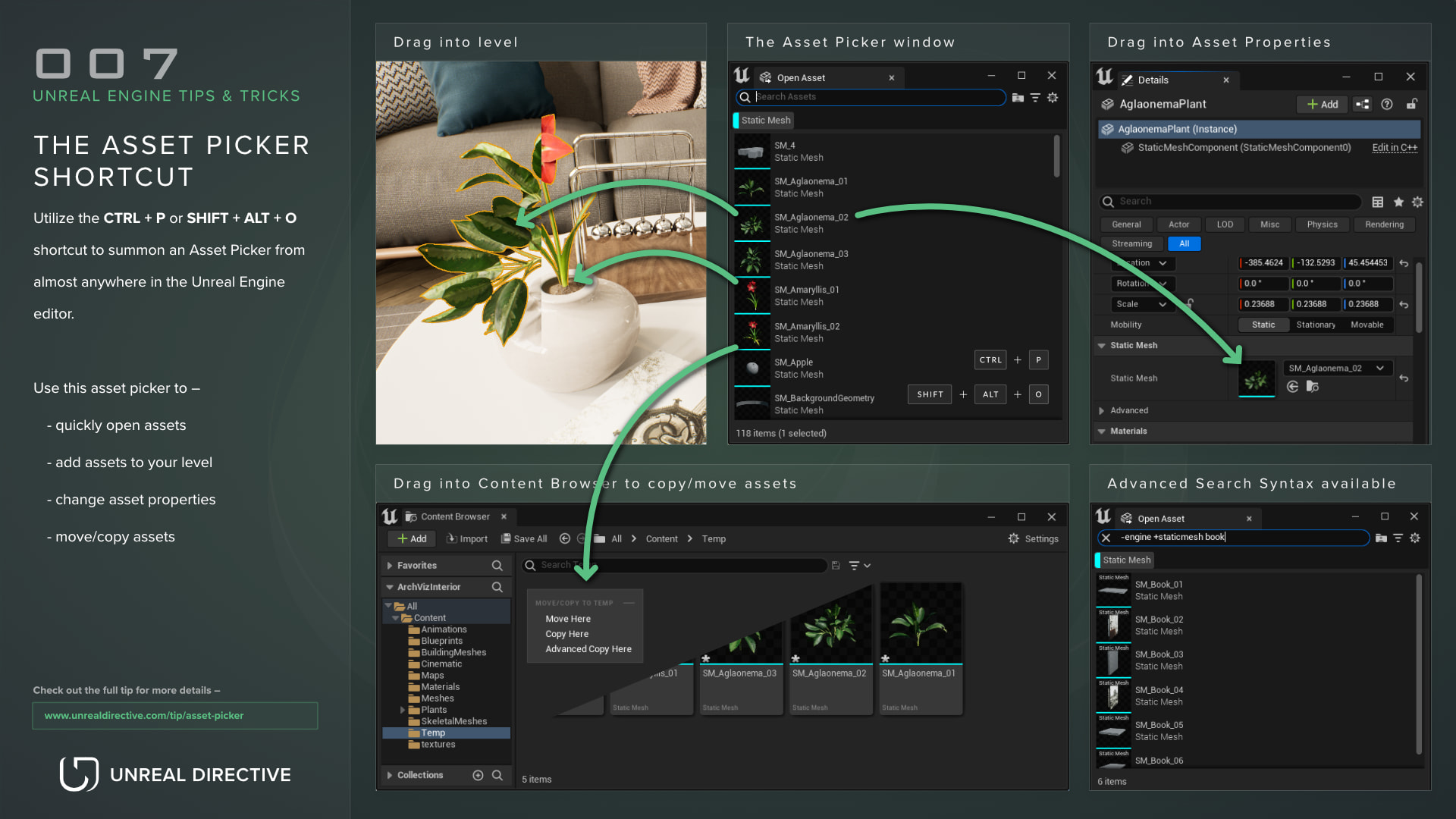
Utilize the CTRL + P or SHIFT + ALT + O shortcuts to summon an Asset Picker from almost anywhere in the Unreal Engine editor.
Use this asset picker to --
- quickly open assets
- add assets to your level
- change asset properties
- move/copy assets
| Shortcut | Action |
|---|
| CTRL + P | Open the Asset Picker |
| SHIFT + ALT + O | Open the Asset Picker |
Explanation
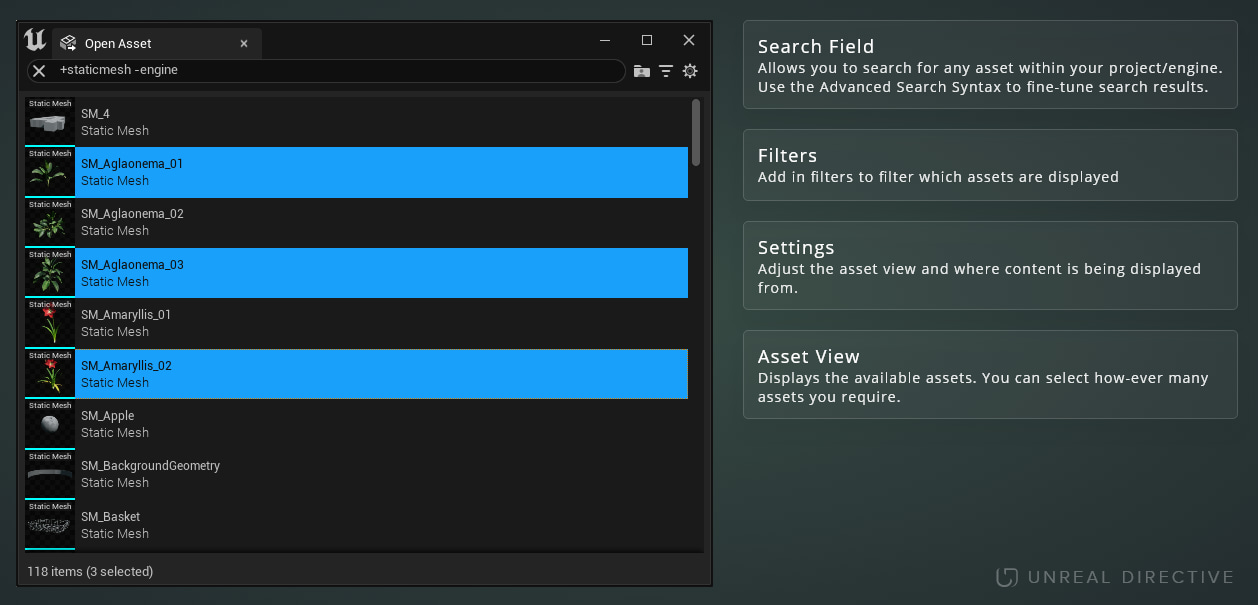
The Asset Picker is a temporary window that can be summoned using the CTRL + P or SHIFT + ALT + O shortcuts. This window will list all available assets within your project, allowing you to quickly search, place, open, move, or copy assets.
While the Content Browser already has all of these features, the Asset Picker allows you to use these features in quick succession without changing the content browsers current directory, thus speeding up a general workflow. In addition, this window can be summoned almost anywhere in-editor.
For an ideal workflow, the Asset Picker should be used in conjunction with the Content Browser.
Asset Search
The Asset Picker has a search field that uses the Advanced Search Syntax along with a filter system. Use these to quickly fine-tune your search results.
Place assets into level
Assets within the Asset Picker can be dragged into the level, allowing for quick set dressing.
Place assets into an asset property
Assets within the Asset Picker can be dragged into asset property inputs.
Open an asset
Assets within the Asset Picker can be opened by double clicking on them.
Move or copy asset to the Content Browser
Assets within the Asset Picker can be dragged into the Content Browser, allowing you to move or copy those assets to the Content Browsers current directory.